Updated August 2026

The 7 Best Productivity & Ergonomic Keyboards in 2026 — Ranked by Data

We scored all 99 productivity and ergonomic keyboards in our database on ergonomic adjustability, typing feel, layout customization, connectivity, and physical footprint, then weighted those scores to rank this list. Prices run from $60 to $480, taken from each product's current listing, and every pick's live page was checked this week — renewed, unavailable, and high-price-flagged listings are excluded automatically.

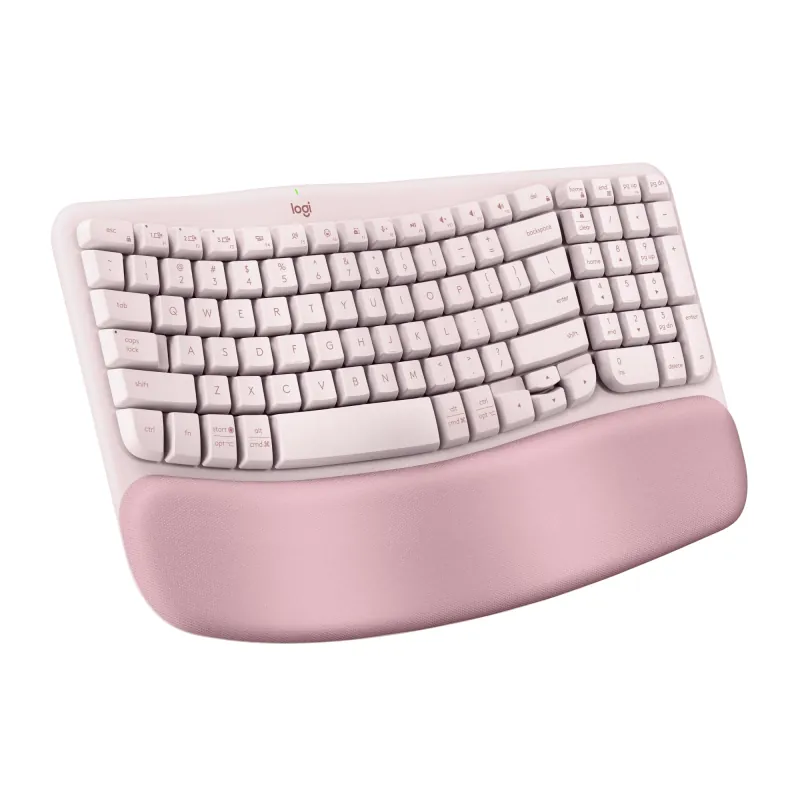
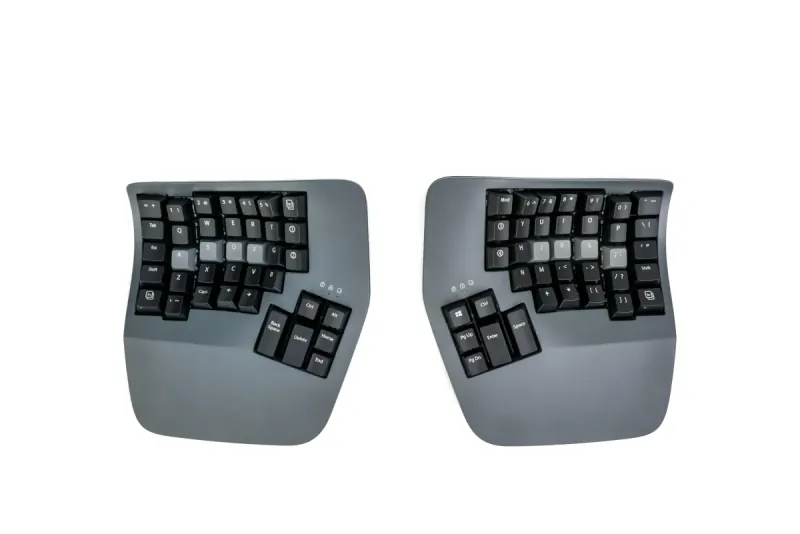
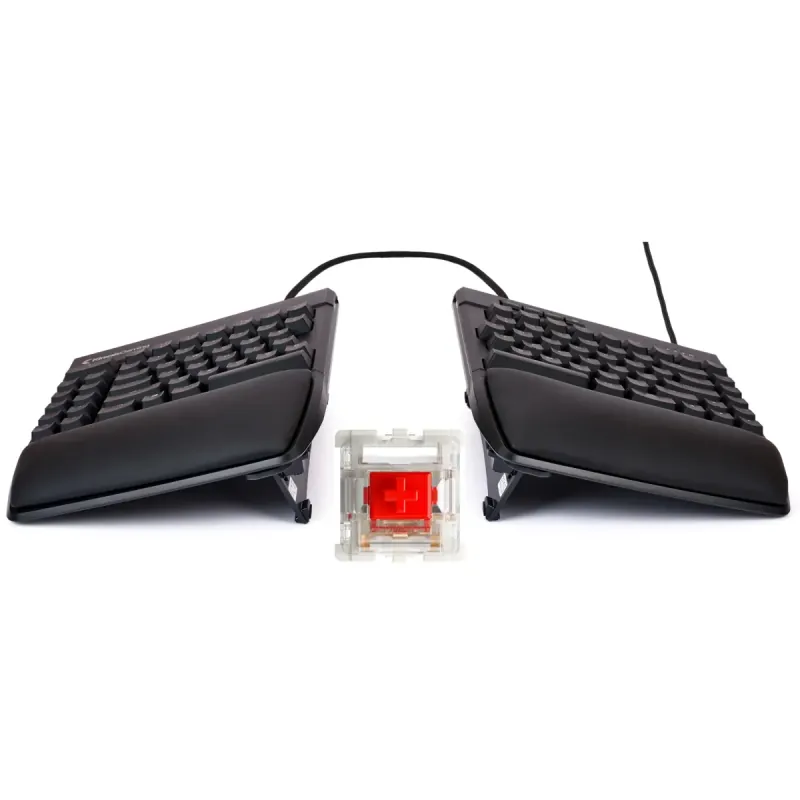
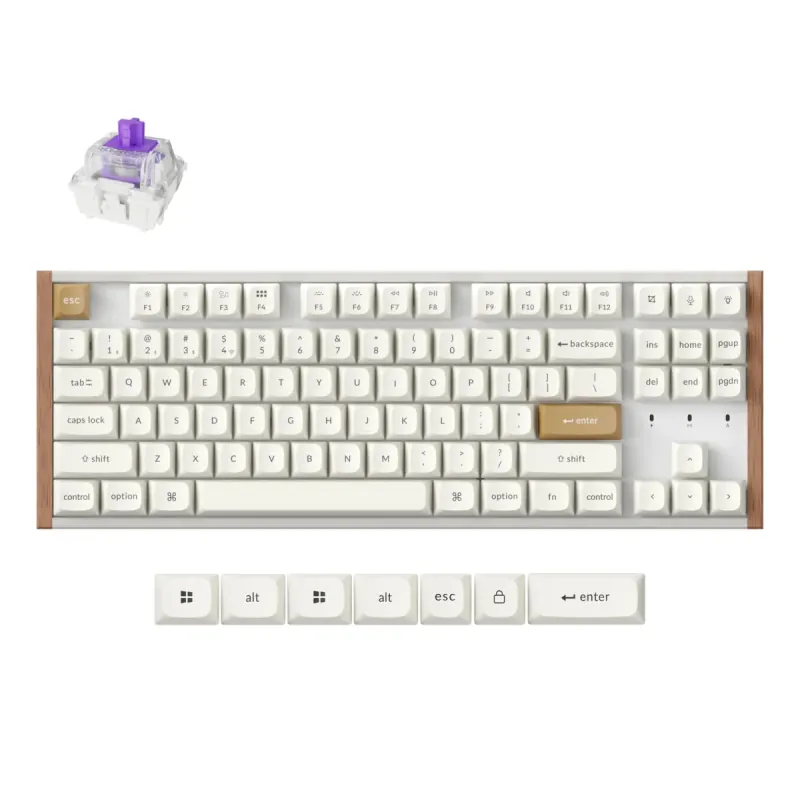
The list spans two different answers to the same problem. Four picks are true split designs that separate your hands and score 85 to 95 on ergonomics; the other three are compact productivity boards scoring around 55, which help your posture far less but ask nothing of your muscle memory. Which group you belong in comes down to one question: are you preventing a problem, or already treating one?

  1. #1
    Best Overall
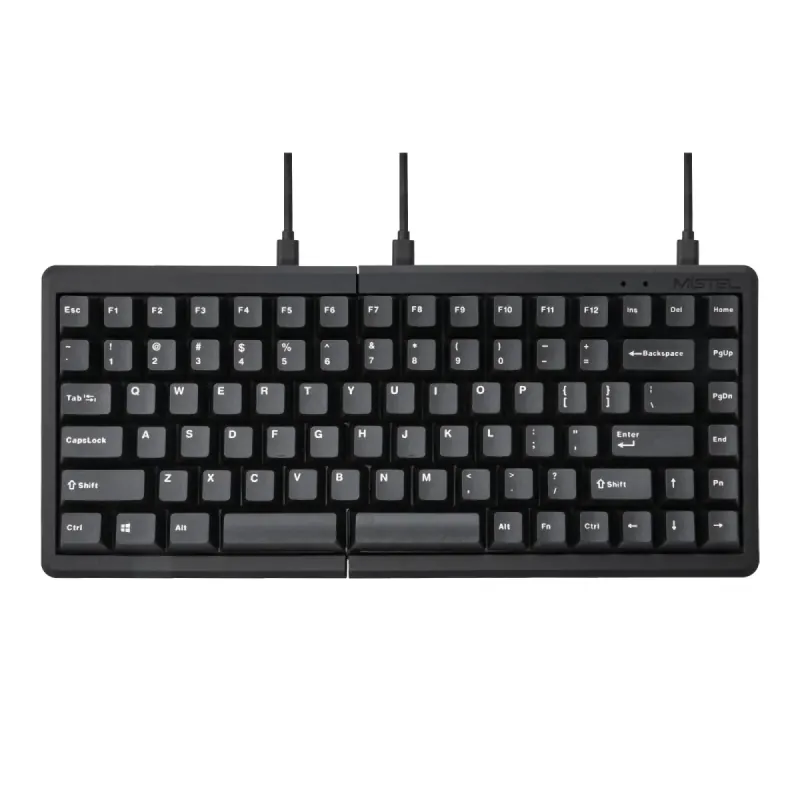
    Mistel Barocco MD770 Classic Black/WF

    Mistel

    Mistel Barocco MD770 Classic Black/WF

    Est. Price

    ~$140

    Split ergonomics without the enthusiast price

    The Barocco MD770 takes best overall by posting a 90 ergonomic adjustability score — second-highest here — at $110, which is about $30 less than we last recorded. The two halves separate as far as your shoulders need, and typing feel scores 88 thanks to genuine Cherry MX switches and PBT keycaps.

    For most people shopping this category, it's the sensible entry into split typing: real ergonomic benefit, real build quality, no four-figure commitment.

    The tradeoff is customization. Layout customization scores 75, the lowest of the split picks — the Q11 and Kinesis both crack 95 — so remapping is more limited if you plan to build elaborate layers. Its own data also flags the unconventional layout as an adjustment period. Expect a slow first week.

    • Ergonomic Adjustability 90
    • Typing Feel & Acoustics 88
    • Layout Customization 75
  2. #2
    Best Budget
    YMDK BORNE Knob Corne4x6

    YMDK

    YMDK BORNE Knob Corne4x6

    Est. Price

    ~$60

    A sixty-dollar kit, batteries not included

    Read this one carefully before buying: the BORNE Corne4x6 is a barebones kit at $60, which means switches and keycaps are your problem. Its own data is explicit that you supply them, so the real cost is $60 plus whatever you choose.

    What you get for it is remarkable on two scores: 90 layout customization and 95 physical footprint, the smallest desk claim on this list. For a tinkerer who wants a fully programmable split board on a tiny desk, nothing here comes close on price.

    The costs are real. Typing feel scores 55, the lowest on this list, because out of the box there's nothing to type on. Connectivity scores 60. And ergonomic adjustability is 70 — good, but well behind the Barocco's 90 for $50 more, fully assembled.

    • Ergonomic Adjustability 70
    • Typing Feel & Acoustics 55
    • Layout Customization 90
  3. #3
    Best Premium
    Keychron Q11 Split Ergonomic Keyboard

    Keychron

    Keychron Q11 Split Ergonomic Keyboard

    Est. Price

    ~$210

    The enthusiast split, fully built

    The Q11 is the premium pick at $210 — down about $40 from our last check — and it pairs 90 typing feel with 95 layout customization on an aluminum split body. Ergonomic adjustability scores 85.

    This is the board for someone who wants split ergonomics and enthusiast build quality in one purchase, without assembling anything. QMK/VIA support means you remap in a browser and the settings live on the board.

    One plain limitation: connectivity scores 70 because it's wired-only, per its own data. If you were hoping to clear the cable from a tidy desk, this is the wrong pick — the Kinesis below scores 88 on connectivity, and the compact boards further down score 85 to 90. Physical footprint is 75; a split aluminum board takes real estate.

    • Ergonomic Adjustability 85
    • Typing Feel & Acoustics 90
    • Layout Customization 95
  4. #4
    Best for RSI Sufferer
    Keychron Q11 QMK/VIA TKL Split Keyboard Ergonomic

    Keychron

    Keychron Q11 QMK/VIA TKL Split Keyboard Ergonomic

    Est. Price

    ~$210

    Same keyboard, second listing, RSI slot

    Yes, this is the Q11 again — a separate Amazon listing for the same split keyboard, also at $210, which our ranking scores independently. It lands the RSI slot because the traits that matter for strain are exactly what it's good at: 85 ergonomic adjustability, 90 typing feel, and 95 layout customization for building layers that reduce reaching.

    The split design is the actual therapy here. Your hands sit shoulder-width apart instead of pinched together, and light switches reduce the force each keystroke demands.

    Same caveat as its twin, slightly worse: connectivity scores 65, wired only. And to be direct about the obvious — if you're choosing between the two Q11 entries on this page, they're the same keyboard, so just buy whichever listing is cheaper or in stock when you look.

    • Ergonomic Adjustability 85
    • Typing Feel & Acoustics 90
    • Layout Customization 95
  5. #5
    Best for Programmer
    Kinesis Advantage360 Professional

    Kinesis

    Kinesis Advantage360 Professional

    Est. Price

    ~$480

    The clinical option, and it costs like one

    The Advantage360 posts the best ergonomic score on this list at 95, with 98 layout customization and 88 connectivity, at $480 — $420 above the cheapest pick and the most expensive item here by more than double.

    The concave key wells and fixed thumb clusters are a genuinely different typing posture, and this is the board people move to when RSI has stopped being theoretical. Its own data calls it niche and high-end; both are accurate.

    Two honest costs. Physical footprint scores 35, by far the lowest on this list — it dominates a desk, and there's no version of this shape that doesn't. And the relearning curve is measured in weeks, not days, during which you will type slowly and swear. Buy it because you need it, not because you're curious.

    • Ergonomic Adjustability 95
    • Typing Feel & Acoustics 85
    • Layout Customization 98
  6. #6
    Best for Office Professional
    Keychron K8 HE TKL White

    Keychron

    Keychron K8 HE TKL White

    Est. Price

    ~$110

    Fast, flexible, barely ergonomic

    The K8 HE takes the office-professional slot on flexibility rather than posture: 90 connectivity and 90 layout customization, with 85 typing feel from Hall Effect switches, at $140.

    For a desk that switches between a work laptop and a personal machine, tri-mode connectivity and browser-based remapping solve the daily annoyances well. The switches let you set how far a key travels before it registers.

    Be clear about what it isn't: ergonomic adjustability scores 55, forty points below the Kinesis and thirty-five below the Barocco. This is a flat, conventional board — it will not fix a wrist problem, and nothing about its shape helps your posture. It's on this list for the productivity half of the category. If you're here because your hands hurt, buy one of the splits above.

    • Ergonomic Adjustability 55
    • Typing Feel & Acoustics 85
    • Layout Customization 90
  7. #7
    Also Great
    Keychron K2 75% Layout V3

    Keychron

    Keychron K2 75% Layout V3

    Est. Price

    ~$85

    The cheapest fully assembled board here

    The K2 V3 rounds out the list at $85 — up about $20 since our last check — and it's still the cheapest fully assembled board on this page, since the $60 pick above arrives as a bag of parts. It scores 85 layout customization via QMK/VIA, 75 connectivity across wired and wireless modes, and 80 on footprint for the 75% layout.

    It's for someone who wants to reclaim desk space and remap a few keys without starting a project.

    The limits are honest ones, and the price rise sharpens them. Ergonomic adjustability scores 55 — a compact board is not an ergonomic one, and its own data calls the adjustability basic. Typing feel scores 70, the lowest of the assembled boards here. At $65 this was an easy recommendation. At $85, it's worth asking whether another $25 for the Barocco's split design and 88 typing feel is the better spend.

    • Ergonomic Adjustability 55
    • Typing Feel & Acoustics 70
    • Layout Customization 85

How We Ranked This

Every product on this list was scored on a 0–100 scale across the features that matter most for this category — things like performance, durability, and value — each weighted by importance. Rankings are pulled directly from that data, not editorial opinion: the AI only writes the explanations, the picks themselves come from the numbers.

Scores are relative to the 99 productivity and ergonomic keyboards currently scored in this category, which includes both true split designs and compact productivity boards — a 55 on ergonomics means flat and conventional, not defective. Every pick's live listing was verified this week; renewed, unavailable, and high-price-flagged listings are excluded from selection automatically.

Want to weight the features yourself — prioritize battery life over price, or vice versa? Use our interactive comparison tool to build a personalized ranking.

Frequently Asked Questions

Why does the same Keychron Q11 appear twice on this list?
Because Amazon carries it under two separate listings, and our ranking scores each listing on its own. They're the same split keyboard at the same $210 price, landing in the premium and RSI slots. Practically speaking, treat them as one product and buy whichever listing is cheaper or actually in stock when you look.
What does the ergonomic adjustability score actually measure?
How much the board lets you change your hand position — separation between halves, tenting angle, key well shape, thumb cluster placement. The spread on this list is the widest of any feature: the Kinesis Advantage360 scores 95 and the compact boards score 55. If you're shopping to fix pain rather than save desk space, treat anything under 70 as decoration.
Is a barebones keyboard kit worth the savings?
Only if assembling it is part of the appeal. The $60 BORNE kit scores 90 on customization and 95 on footprint, but 55 on typing feel — because it arrives without switches or keycaps, and those add real cost on top. Budget another $40 to $80 and an evening. If that sounds like a chore rather than a hobby, the assembled $110 Barocco is the better value.
Do these work well with a laptop or a dock setup?
It varies more than you'd expect. Both Q11 entries score 65 to 70 on connectivity because they're wired-only, so they'll live at one desk. The K8 HE (90) and Kinesis (88) handle multiple machines properly, and the K2 V3 (75) does wired and wireless. If you move between a docked laptop and a desktop daily, that score is the one to sort by.

Want a pick tailored to you?

Slide the priorities that matter to you — price, performance, whatever — and our comparison tool re-ranks every Productivity & Ergonomic Keyboards product in real time.

Compare All Productivity & Ergonomic Keyboards