Updated September 2026

The 7 Best Mechanical Gaming Keyboards in 2026 — Ranked by Data

We scored all 204 mechanical gaming keyboards in our database on gaming responsiveness, typing feel, build quality, software, ergonomics and wireless performance, then weighted those scores to rank this list. Prices run from $60 to $400, and every pick's live listing was checked the day this was written. Listings flagged for condition, availability or price are left out of selection automatically.

Two things stand out in the results. Hall Effect boards hold three of the seven slots, from $130 to $250, and they post three of the four best responsiveness scores here. And Keychron still takes three slots on software alone: its picks score 95 to 98, where no other brand on this page gets past 78.

  1. #1
    Best Overall
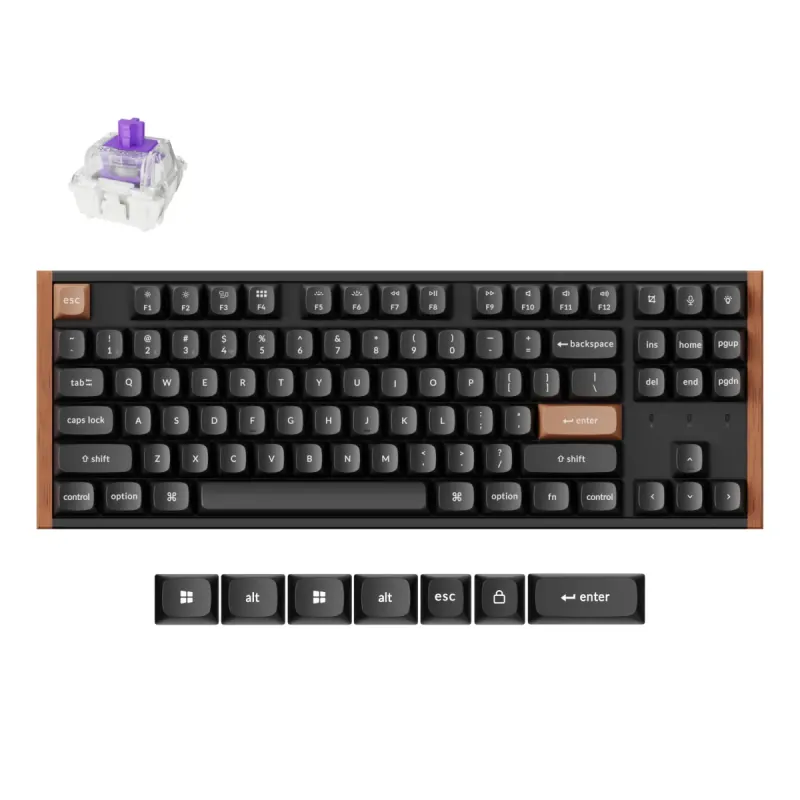
    Keychron K8 HE TKL Black

    Keychron

    Keychron K8 HE TKL Black

    Est. Price

    ~$110

    Hall Effect speed at a mid-range price

    The K8 HE takes best overall on a rare combination: 90 gaming responsiveness from its Hall Effect switches, 95 for software and customization, and 88 wireless — all at $140. Three boards on this page are quicker on paper. None of them scores above 78 on software, and the only one near this price is wired-only.

    Hall Effect means the switches read your keypress as a distance rather than a click, so you can set how far down a key registers. For gaming, that's the feature worth paying for, and here it costs $80 over the cheapest pick instead of the usual premium-tier surcharge.

    The tradeoff is in the case. Build quality scores 85 and its own data is blunt that this isn't a truly premium chassis — you're getting excellent switches in a good-not-great body. Ergonomics score 75, the middle of this list, so plan on a wrist rest.

    • Gaming Responsiveness 90
    • Typing Feel & Acoustics 80
    • Build Quality & Durability 85
  2. #2
    Best Budget
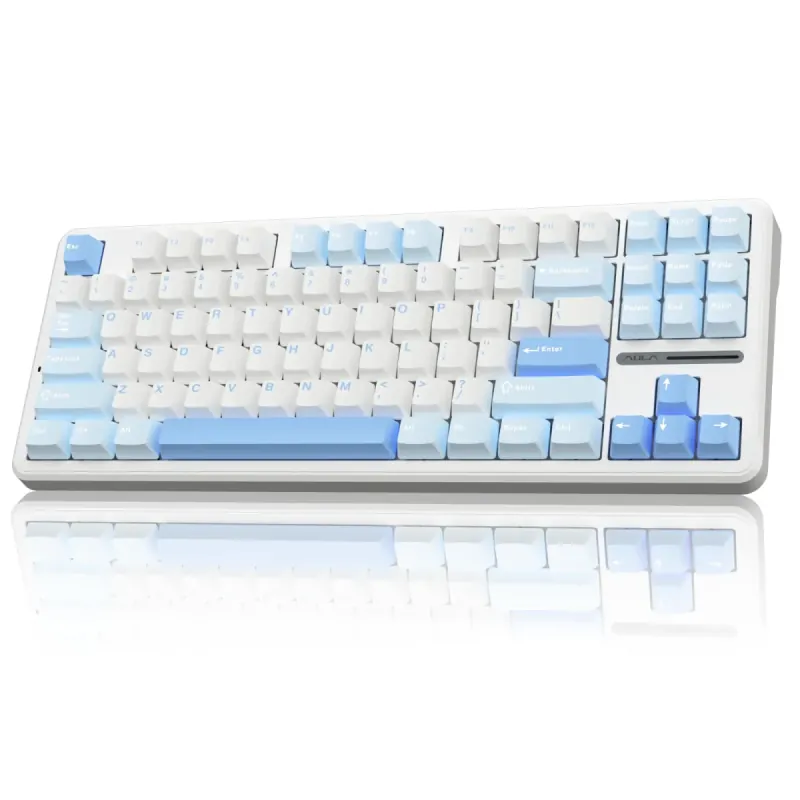
    AULA F87 Wireless Mechanical Keyboard

    AULA

    AULA F87 Wireless Mechanical Keyboard

    Est. Price

    ~$60

    Hot-swap, PBT keycaps and tri-mode for $60

    The F87 is the cheapest pick here at $60, and the spec sheet reads like a board that costs more: hot-swappable sockets, PBT keycaps, and tri-mode connection over 2.4GHz, Bluetooth 5.0 or USB-C. Typing feel scores 75 on pre-lubed switches, with a dampened sound that's pleasant for its class.

    It's the one to buy if you want to find out whether you like mechanical keyboards without spending $140 to do it. The compact layout keeps the keys most people need. Gaming responsiveness is 70, the lowest on this page: reliable for most games, and twenty-five points behind the fastest boards here.

    Where the $60 shows: software scores 55, by far the lowest on the list. It handles basic RGB and key remapping and not much else. Build is 65, mostly plastic, sturdy enough for daily use but nothing an enthusiast would admire. If remapping matters to you, the 40-point software gap to the K8 HE is what the extra $80 buys.

    • Gaming Responsiveness 70
    • Typing Feel & Acoustics 75
    • Build Quality & Durability 65
  3. #3
    Best Premium
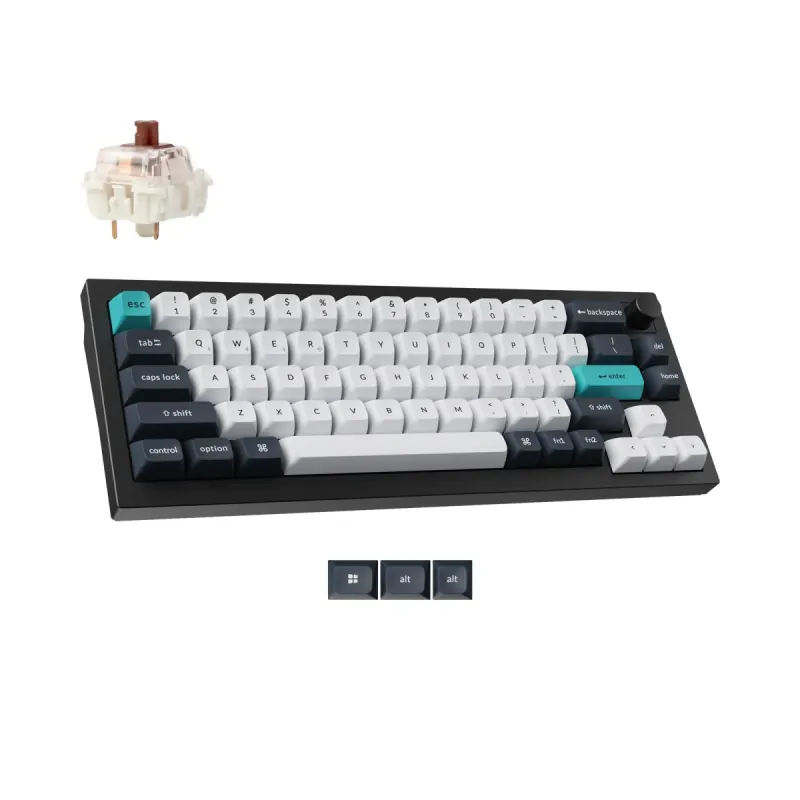
    Keychron Q2 Max Wireless Black

    Keychron

    Keychron Q2 Max Wireless Black

    Est. Price

    ~$210

    Aluminum build, near-perfect typing scores

    The Q2 Max posts the highest build score on this list — 98 — with 95 typing feel and 97 software, in a 65% aluminum case that weighs like a small anvil. At $210 it's $150 over the cheapest pick, and the price hasn't moved since we last recorded it.

    This is the board for people who care how typing sounds and feels more than how fast it registers. Wireless scores 90, so the desk stays clean.

    Two honest costs. Gaming responsiveness scores 85 — good, but the K8 HE beats it at $70 less, and the Azoth beats them both. And 65% means no function row and no arrow cluster; ergonomics score 75 because you're learning key combinations for anything you'd normally reach for. Buy it for the feel, not the frags.

    • Gaming Responsiveness 85
    • Typing Feel & Acoustics 95
    • Build Quality & Durability 98
  4. #4
    Best for Pro Gamer
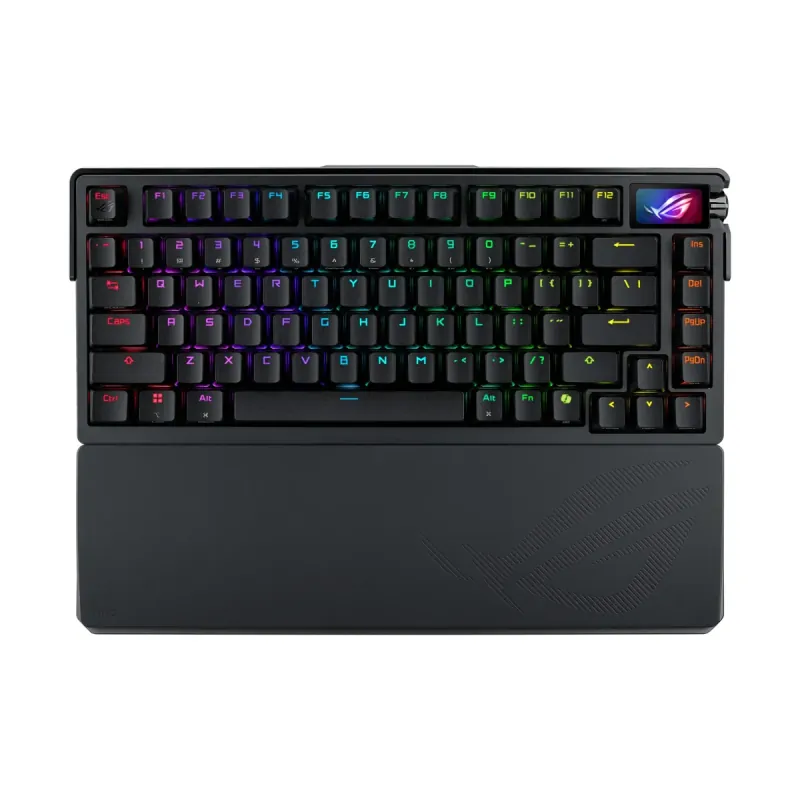
    ASUS ROG Azoth Extreme Black

    ASUS ROG

    ASUS ROG Azoth Extreme Black

    Est. Price

    ~$400

    Fastest board here, software caveat included

    The Azoth Extreme wins the pro-gamer slot on the two numbers that decide matches: 95 gaming responsiveness, tied for the best here, and 93 wireless, the best outright. Typing feel (90) and build (92) are right behind the Keychrons.

    At $400 it's the most expensive pick by $150, though that's $40 less than when we last recorded it.

    The flaw is well known and worth stating plainly: software scores 78, a second-lowest score it shares with two other boards, because you're tied to Armoury Crate. Its own data calls that reliance a persistent flaw, and no hardware quality fixes a program you have to fight. If you want top-tier speed without that, the $140 K8 HE gives up five points of responsiveness and gains seventeen points of software.

    • Gaming Responsiveness 95
    • Typing Feel & Acoustics 90
    • Build Quality & Durability 92
  5. #5
    Best for Hobbyist
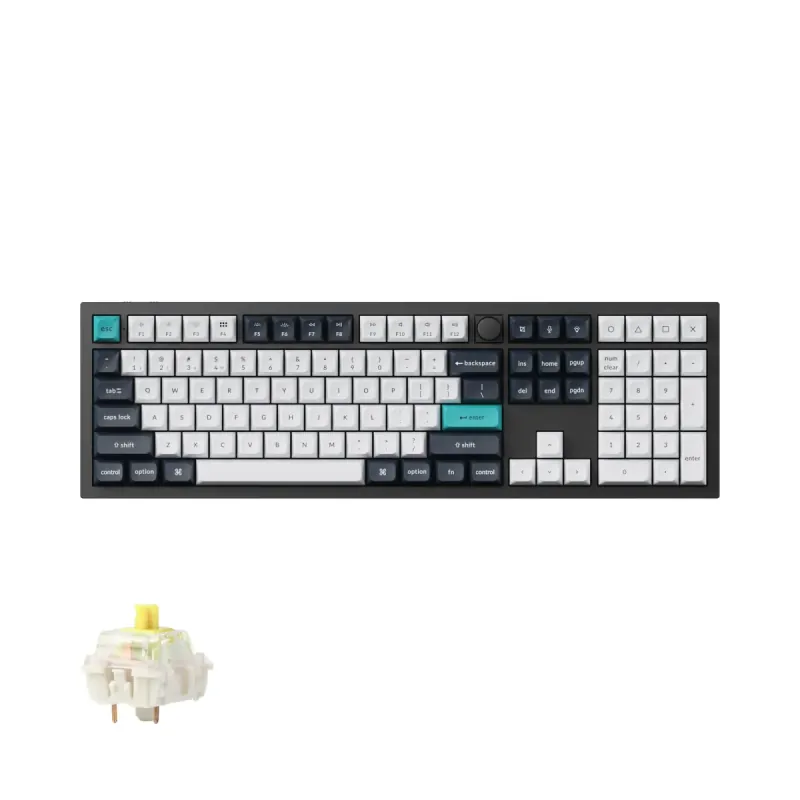
    Keychron Q6 Max Black

    Keychron

    Keychron Q6 Max Black

    Est. Price

    ~$240

    Full-size aluminum for the tinkerers

    The Q6 Max is the hobbyist pick because it scores 98 on software and 95 on build — the best customization number on this list, in a full-size aluminum body. Typing feel scores 90. At $220 it's up $20 since we last recorded it, which puts it $10 above the smaller Q2 Max.

    If your idea of a good evening is flashing custom firmware, swapping switches, and tuning stabilizers, this is the board that rewards all of it.

    The tradeoffs are physical. Ergonomics score 70, tied for the lowest on this list — a full-size aluminum board is heavy and pushes your mouse hand wide, which is exactly why competitive players avoid the layout. Gaming responsiveness (85) trails the Azoth and the K8 HE. This is a desk-dwelling, keep-forever kind of board.

    • Gaming Responsiveness 85
    • Typing Feel & Acoustics 90
    • Build Quality & Durability 95
  6. #6
    Best for Streamer
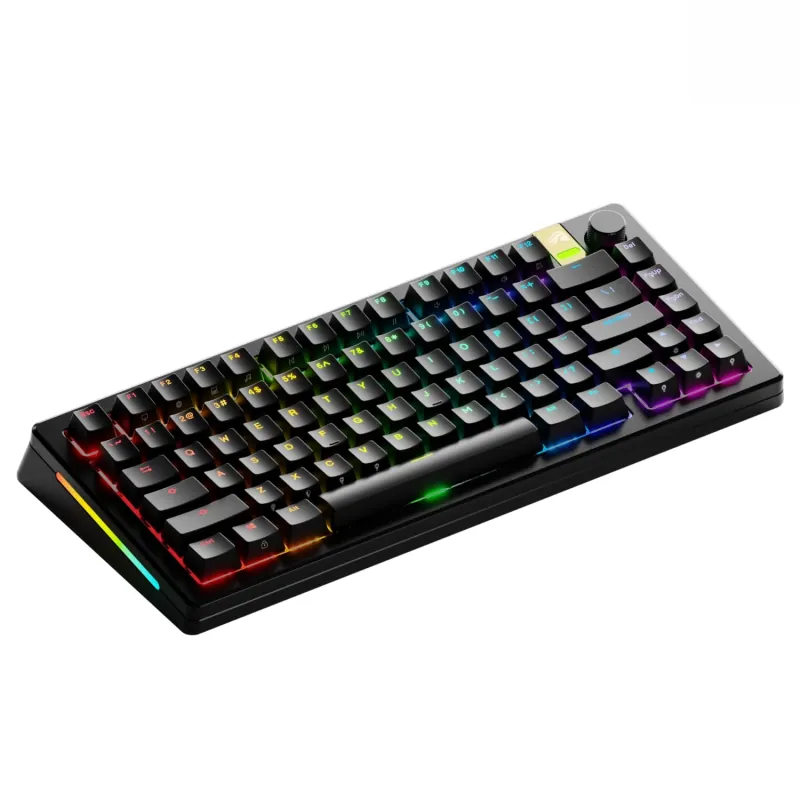
    Glorious GMMK 3 PRO HE

    Glorious

    Glorious GMMK 3 PRO HE

    Aluminum Hall Effect board with clunky software

    Streamer weighting puts typing feel first (90), then software (85) and responsiveness (75). Of the boards not already holding a slot above, the GMMK 3 PRO HE comes out on top: 95 gaming responsiveness from Hall Effect magnetic switches with rapid trigger and 8K polling, 92 build from a CNC-machined aluminum chassis, and 85 typing feel on a gasket mount. The 75% layout with a rotary knob scores 82 on ergonomics.

    It also takes both magnetic and standard MX switches in the same sockets, which its own data calls unmatched for hardware customization.

    Now the costs, and there are three. Software scores 78 because the Glorious Core app is clunky and buggy, a real problem on a board whose best tricks are set in software. Wireless is 75, the joint-lowest of the wireless picks, and the battery drains fast with 8K polling and bright RGB. The tall front edge practically requires a wrist rest. At $250 it's $110 more than the K8 HE, which gives up five points of speed and gains seventeen on software.

    • Gaming Responsiveness 95
    • Typing Feel & Acoustics 85
    • Build Quality & Durability 92
  7. #7
    Also Great
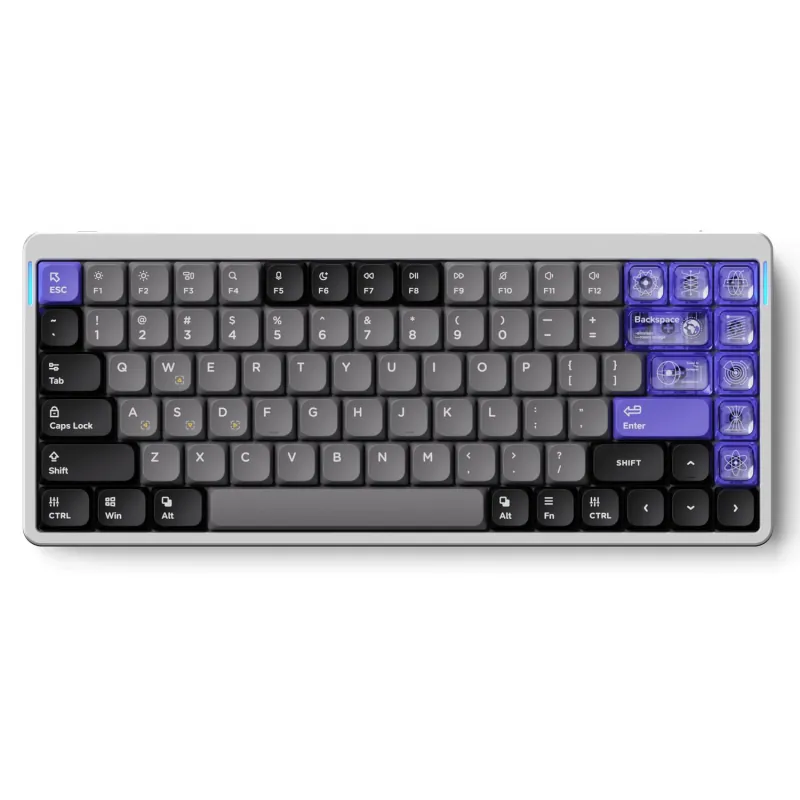
    NuPhy Air75 HE

    NuPhy

    NuPhy Air75 HE

    Low-profile Hall Effect, best ergonomics, $130

    The NuPhy Air75 HE rounds out the list as the cheapest way into Hall Effect here: 92 gaming responsiveness from Magnetic Jade switches with rapid trigger, at $130. That's $10 under the K8 HE and two points quicker.

    What sets it apart is the shape. It's a low-profile 75% board, and it scores 90 on ergonomics, the best on this page, because you can type on it comfortably without a wrist rest. Build is 88 with an aluminum top frame and PBT keycaps, and typing feel is 85 on pre-lubed switches.

    Two plain drawbacks. This model is strictly wired, so there's no wireless score at all, and every other pick on the page has one. And software scores 78: the web-based configurator works for setting actuation points but lacks polish. If you want wireless and deeper remapping, that's the $10 argument for the K8 HE instead.

    • Gaming Responsiveness 92
    • Typing Feel & Acoustics 85
    • Build Quality & Durability 88

How We Ranked This

Every product on this list was scored on a 0–100 scale across the features that matter most for this category. The overall ranking counts every feature equally, together with store customer ratings where we have them and a credit for cheaper price tiers; the preset picks weight features by what that kind of buyer cares about. Rankings come straight from that data, not editorial opinion: the AI only writes the explanations, the picks themselves come from the numbers.

Scores are relative to the 204 mechanical gaming keyboards scored in this category on September 21, 2026, so a 95 means top-of-class here rather than across all keyboards. Every pick's live listing was re-verified the same day, and listings flagged for condition, availability or price are excluded from both selection and pricing.

Want to weight the features yourself — prioritize battery life over price, or vice versa? Use our interactive comparison tool to build a personalized ranking.

Frequently Asked Questions

Are Hall Effect switches worth it over regular mechanical ones?
For gaming, they're the most meaningful switch upgrade on this list. Hall Effect switches read how far you press rather than just whether you pressed, which lets you set the actuation point and register faster. Three picks here have them: the NuPhy Air75 HE scores 92 on gaming responsiveness at $130, the K8 HE 90 at $140, and the Glorious GMMK 3 PRO HE 95 at $250. For typing alone, you won't notice the difference.
Why do keyboard prices swing so much month to month?
Because this category discounts constantly and Amazon pricing is volatile. Since we last recorded prices, the Azoth Extreme fell from $440 to $400 and the Q6 Max rose from $200 to $220, while the K8 HE and the Q2 Max didn't move at all. The prices here reflect the listings on the day we checked. If a board you want sits at the top of your budget, watching it for a few weeks is a genuinely effective strategy.
What does QMK/VIA support actually get me?
Open firmware — you remap keys, build layers, and record macros in a browser instead of a vendor app, and the settings live on the board itself. It's why the Keychron picks score 95 to 98 on software while nothing else on this page gets past 78. If you plug into multiple machines or hate background utilities, that gap is the clearest dividing line on this list.
Is a heavy aluminum keyboard actually better to type on?
It's better to listen to. Mass absorbs the ping and hollowness that plastic cases resonate with, which is why our two all-aluminum Keychrons score 90 and 95 on typing feel. What it doesn't buy is speed — the Q2 Max scores 85 on responsiveness against the $140 K8 HE's 90. Weight also makes a board a desk fixture rather than something you move around.
How small a keyboard should I go?
Depends on what you'll miss. The 65% Q2 Max scores 75 on ergonomics because you lose the function row and arrows to key combinations. The low-profile 75% NuPhy Air75 HE goes the other way and scores 90 on ergonomics, the best here. If you use arrows daily or type numbers, the full-size Q6 Max or the TKL K8 HE will annoy you far less than reclaiming four inches of desk will please you.

Want a pick tailored to you?

Slide the priorities that matter to you — price, performance, whatever — and our comparison tool re-ranks every Mechanical Gaming Keyboards product in real time.

Compare All Mechanical Gaming Keyboards